
Your Time Is Too Valuable to Waste on Routine Tasks
Imagine starting your Monday morning with a full inbox, three back-to-back meetings, a project deadline, and a to-do list that never seems to shrink. Now imagine having a smart assistant that handles your emails, schedules your day, reminds you of priorities, and drafts responses — all before you’ve finished your first cup of tea.
That’s exactly what today’s AI Personal Assistant Tools are built to do.
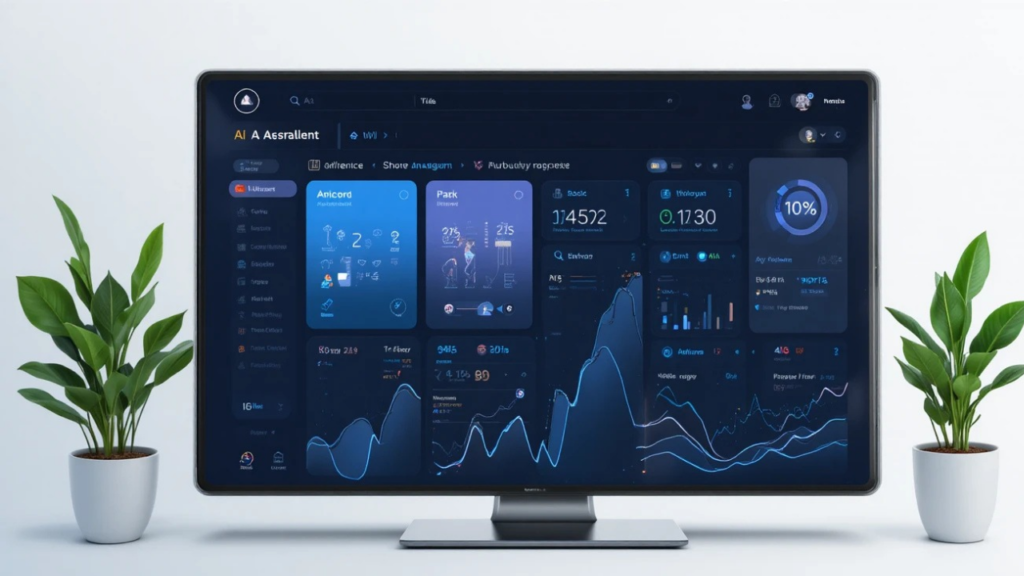
Whether you’re a busy professional, a student juggling assignments, or a small business owner wearing too many hats, the right AI assistant for productivity can fundamentally change how you work. In this guide, we’ll cover what these tools actually do, which features matter most, and — based on hands-on testing — which ones are genuinely worth your time in 2026.
By the end, you’ll know exactly which AI assistant fits your workflow — and how to get started today.
What Is an AI Personal Assistant?
An AI personal assistant is software powered by artificial intelligence that helps you manage everyday tasks — from organizing your calendar and drafting emails to answering questions, setting reminders, and automating repetitive workflows.
Unlike older virtual assistants that required rigid voice commands, today’s AI digital assistants understand natural, conversational language. You can type something like “reschedule my 3 PM to Thursday and send everyone a quick note” — and they handle it.
At its core, a personal AI assistant for daily tasks acts like a highly capable team member who never sleeps, never misses a deadline, and learns your preferences over time.
Common everyday uses include:
- Scheduling meetings and managing calendars
- Drafting and organizing emails
- Summarizing long documents and reports
- Setting task reminders and to-do lists
- Answering research questions instantly
- Automating repetitive business workflows
Quick Comparison: Best AI Personal Assistant Tools at a Glance
| Tool | Best For | Free Plan | Starting Price | Works With |
| ChatGPT | General productivity & content | Yes | $20/mo | Web, iOS, Android, API |
| Claude | Writing, analysis & research | Yes | Paid tiers | Web, iOS, Android, API |
| Microsoft Copilot | Microsoft 365 users | Limited | Varies by plan | Word, Excel, Outlook, Teams |
| Google Gemini | Google Workspace users | Yes | Varies | Gmail, Docs, Calendar, Drive |
| Notion AI | Project & task management | No | Add-on (~$10/mo) | Notion (web & desktop) |
| Reclaim AI | Smart scheduling | Yes | Paid tiers | Google Calendar, Outlook |
Bottom line by use case:
- Best for writers: Claude
- Best all-around: ChatGPT
- Best for Microsoft users: Microsoft Copilot
- Best for Google users: Google Gemini
- Best for project management: Notion AI
- Best for scheduling: Reclaim AI
What Happened When I Tested These AI Assistants
Before recommending any tool, I ran each one through four real-world tests that reflect how most people actually use AI assistants day-to-day.
Test 1: Email Drafting
I gave each tool this prompt: “Draft a professional follow-up email to a client who hasn’t responded in two weeks. Keep it friendly but clear.”
Claude produced the most polished and natural-sounding email on the first try — minimal editing needed. ChatGPT was close behind, with a slightly more generic structure but solid overall. Google Gemini (tested inside Gmail) was fast and contextually aware, automatically pulling in the email thread’s subject. Microsoft Copilot inside Outlook delivered a ready-to-send draft that matched the existing conversation tone well.
Winner: Claude for standalone drafting; Copilot for in-Outlook integration.
Test 2: Calendar Scheduling
I asked each tool to: “Find me a 90-minute block this week for deep work and protect it from meetings.”
Only Reclaim AI handled this natively and automatically — it scanned my calendar, identified open windows, and blocked them without any extra steps. Google Gemini could suggest times but required manual booking. ChatGPT and Claude offered advice but couldn’t directly access or modify calendars without third-party integrations.
Winner: Reclaim AI — it’s purpose-built for this and nothing else comes close.
Test 3: Research Summary
I uploaded a 12-page industry report and asked: “Summarize the three biggest takeaways and flag any data I should question.”
Claude handled this with impressive depth — the summary was accurate, well-structured, and it flagged two statistics that lacked cited sources. ChatGPT produced a solid summary but didn’t volunteer critical observations. Google Gemini performed well with documents stored in Google Drive.
Winner: Claude for document analysis and critical thinking.
Test 4: Task Breakdown
I typed: “I need to launch a new product page in 3 weeks. Break this into a realistic weekly plan.”
Notion AI (inside a Notion page) turned this into a formatted project plan with tasks, sub-tasks, and owners automatically. ChatGPT gave a detailed text-based plan that needed manual transfer into a task tool. Claude provided the most thoughtful sequence, including risk flags like “allow buffer time for design revisions.”
Winner: Notion AI for in-context task planning; Claude for strategic thinking.
Why AI Personal Assistants Matter More Than Ever in 2026
We’re living in an era of information overload. The average professional spends over 28% of their workweek managing emails alone. Add meetings, admin tasks, and context-switching — and it’s no wonder people feel constantly busy but rarely productive.
AI productivity tools address this in two key ways: they automate low-value tasks that consume your time, and they amplify your output on the high-value work that actually moves things forward.
Here’s what’s changed in 2026 specifically:
AI models have become dramatically smarter. Today’s assistants understand tone, context, and nuance far better than earlier generations. They don’t just answer questions — they anticipate follow-up needs.
Integration has matured significantly. Modern AI assistant software connects with email, calendars, project tools, and browsers. You no longer need to copy-paste between apps constantly.
Costs have democratized. Tools that once required enterprise contracts are now available to individuals and small businesses at $10–$30/month — often with meaningful free tiers.
Key Features to Look for in the Best AI Personal Assistant
Natural Language Understanding
The best AI personal assistants handle conversational, imprecise requests without issue. “Move my Thursday check-in and ping the team” should work as easily as a formally worded command.
AI Assistant for Scheduling
The best AI assistant for scheduling does more than just book meetings — it learns your peak productivity hours, protects focus time, and reschedules conflicts proactively when your day shifts.
AI Assistant for Email Management
Look for a tool that reads your inbox, sorts by urgency, drafts contextual replies in your voice, and flags what actually needs your attention versus what can wait.
Task and Project Management
A strong AI task management assistant converts conversations and notes into structured to-do lists, assigns deadlines, and keeps you updated when things fall behind.
Cross-Platform Integration
Your AI assistant should plug into where you already work — Gmail, Outlook, Slack, Notion, Teams. The more it connects, the less friction you deal with daily.
Privacy and Security
For professionals handling sensitive information, data privacy is non-negotiable. Prioritize tools with end-to-end encryption, clear data retention policies, and enterprise-grade security certifications.
Top AI Personal Assistant Tools in 2026: In-Depth Reviews
1. Claude (Anthropic) — Best AI Assistant for Writing & Analysis
Claude is the strongest performer for tasks that require careful thinking, nuanced writing, and document analysis. It consistently produces clean, well-structured output with minimal editing needed — something that matters when you’re using AI output in professional contexts.
Best for: Writers, analysts, lawyers, consultants, and professionals dealing with complex documents.
Pros:
- Produces the most natural-sounding writing of any tool tested
- Excellent at summarizing long documents with critical observations
- Handles multi-step, nuanced instructions reliably
- Strong privacy focus in its design philosophy
Cons:
- Doesn’t natively integrate with calendars or email inboxes
- Requires third-party connectors for workflow automation
- No built-in image generation
Free plan: Yes — with usage limits
Paid plan: Available in tiers
Works with: Web, iOS, Android, API
Real-world scenario: A consultant pastes a 30-page RFP document into Claude and asks it to identify the top five evaluation criteria, flag vague requirements, and draft an executive summary response. Claude delivers all three in one reply.
2. ChatGPT (OpenAI) — Best All-Around AI Personal Assistant
ChatGPT remains the most versatile AI personal assistant app in 2026. Its broad plugin ecosystem, real-time web access, and memory features make it the most adaptable choice across different workflows and industries.
Best for: General productivity, content creation, coding, research, and users who want one tool for everything.
Pros:
- Real-time web browsing for up-to-date information
- Image generation built in (DALL·E)
- Memory learns your preferences across sessions
- Massive library of third-party integrations
- Strong code writing and debugging capabilities
Cons:
- Can feel generic on creative writing compared to Claude
- Memory features require manual setup and management
- Premium features locked behind $20/month plan
Free plan: Yes
Paid plan: From $20/month
Works with: Web, iOS, Android, API, desktop
Real-world scenario: A marketing manager uses ChatGPT to research a competitor’s positioning, draft three tagline options, generate a product image concept, and outline a campaign calendar — all inside a single conversation.
3. Microsoft Copilot — Best AI Assistant for Work in Microsoft Environments
Microsoft Copilot is embedded directly into Word, Excel, PowerPoint, Outlook, and Teams — which makes it the most seamless AI assistant for work when your organization runs on Microsoft 365. There’s no switching tabs or copying text between windows.
Best for: Corporate professionals, enterprise teams, anyone already using Microsoft 365.
Pros:
- Works inside Outlook, Word, Excel, Teams natively
- Summarizes meeting transcripts in Teams automatically
- Generates reports and PowerPoint slides from raw data
- Integrates with enterprise data via Microsoft Graph
Cons:
- Requires a Microsoft 365 subscription for full access
- Less useful outside the Microsoft ecosystem
- AI features quality varies across apps
Free plan: Limited
Paid plan: Bundled with M365 plans; standalone add-on pricing varies
Works with: All Microsoft 365 apps
Real-world scenario: After a two-hour all-hands meeting in Teams, Copilot generates a structured recap with action items, assigns them in the team’s Planner board, and drafts follow-up emails to three different stakeholders — customized by role.
4. Google Gemini — Best AI Assistant for Google Workspace Users
Google Gemini brings AI directly into Gmail, Google Calendar, Docs, Sheets, and Drive. For individuals and teams already working inside Google Workspace, it’s the most frictionless AI productivity tool available — no copy-pasting, no tab-switching.
Best for: Google Workspace users, students, educators, remote teams on Google tools.
Pros:
- Drafts and replies to emails directly inside Gmail
- Summarizes Google Drive documents without leaving the app
- Suggests meeting times based on live Google Calendar data
- Strong multimodal capabilities (text, images, audio)
Cons:
- Significantly less useful outside the Google ecosystem
- Occasionally struggles with highly technical or niche topics
- Enterprise features require a Workspace upgrade
Free plan: Yes
Paid plan: Varies by Workspace plan
Works with: Gmail, Google Docs, Sheets, Calendar, Drive
Real-world scenario: A student uploads lecture notes to Google Drive, then asks Gemini inside Docs to produce a structured study guide, generate ten practice questions, and highlight the three concepts most likely to appear on an exam.
5. Notion AI — Best AI Task Management Assistant
Notion AI transforms an already-powerful productivity platform into an intelligent AI task management assistant. It works within your existing Notion pages, databases, and projects — making it the best choice for teams that live in Notion already.
Best for: Project managers, product teams, entrepreneurs, and students who use Notion for organizing their work.
Pros:
- Generates project plans, meeting agendas, and task lists from rough notes
- Summarizes long database entries and meeting notes automatically
- Autofills properties in databases to reduce manual data entry
- Integrates AI into an already-rich organizational system
Cons:
- Only useful if you already use (or plan to use) Notion
- AI features are an add-on, not free
- Less capable outside its own ecosystem
Free plan: No (AI is a paid add-on)
Paid plan: ~$10/month add-on to Notion plans
Works with: Notion (web and desktop)
Real-world scenario: A startup founder types rough meeting notes into Notion. Notion AI converts them into a structured sprint plan with individual task cards, assigned owners, and a timeline — ready for the team to start acting on immediately.
6. Reclaim AI — Best AI Assistant for Scheduling
Reclaim AI is purpose-built for one thing: making sure your calendar actually reflects your priorities. It automatically schedules tasks, protects focus time, defends your lunch break, and reschedules conflicts dynamically — without you lifting a finger.
Best for: Professionals with packed calendars, remote workers, team leads, and anyone who struggles to protect time for focused work.
Pros:
- Auto-schedules tasks around existing calendar commitments
- Protects focus time and personal habits automatically
- Reschedules intelligently when priorities shift
- Syncs with Google Calendar and Outlook
Cons:
- Narrowly focused — not a general-purpose AI assistant
- AI suggestions can occasionally misread priorities
- Full features require a paid plan
Free plan: Yes
Paid plan: Paid tiers available
Works with: Google Calendar, Outlook
Real-world scenario: A project manager adds a task called “Finish Q3 report — due Friday.” Reclaim AI automatically finds three two-hour focus blocks across Tuesday, Wednesday, and Thursday at times when the calendar is historically quiet — and locks them in.
AI Personal Assistants by Audience: Who Should Use What
Best AI Assistant for Students
Students get the most value from AI tools that support research, note organization, essay drafting, and exam prep. The goal is using AI as a thinking partner — not a shortcut that undermines learning.
- Google Gemini — seamless with Google Docs and Drive, where most students already work
- Claude — excellent for nuanced essay feedback, source summarization, and argument development
- Notion AI — ideal for students who organize coursework in Notion
Best AI Assistant for Small Business
Small business owners need tools that reduce admin overhead without requiring a tech team to maintain. The best AI assistant for small business handles communication, content, and scheduling without adding complexity.
- ChatGPT — versatile enough to handle customer emails, social posts, product descriptions, and research
- Notion AI — great for SOPs, team wikis, and project tracking
- Reclaim AI — perfect for owners whose calendars constantly get overrun
Best AI Assistant for Professionals
Knowledge workers in law, finance, healthcare, and consulting need tools that are accurate, handle sensitive information carefully, and genuinely reduce the time spent on documentation and communication.
- Claude — best for document analysis, contract review, and high-stakes written communication
- Microsoft Copilot — best for professionals in regulated industries already using M365
How to Choose the Right AI Assistant for Your Workflow
Choosing an AI assistant isn’t about picking the most popular one — it’s about matching the tool to where your biggest time drain actually is.
Ask yourself these questions:
Where do you spend most of your day? If it’s inside Gmail and Docs, Gemini is the obvious choice. Inside Outlook and Teams? Copilot. Cross-platform? ChatGPT or Claude.
What’s draining your time most? Email overload → AI email assistant. Calendar chaos → Reclaim AI. Document-heavy work → Claude. Project coordination → Notion AI.
How technical are you? Power users who want to build custom workflows will get more from ChatGPT or Claude’s APIs. Non-technical users will prefer the zero-setup integration of Copilot or Gemini.
What’s your budget? All six tools offer free tiers with real functionality. Most paid plans fall between $10–$30/month for individuals, which is typically offset within days if the time savings are real.
The best approach: start with one tool that targets your biggest pain point. Use it consistently for two weeks before evaluating whether to expand.

Which AI Assistant Is Free? (Full Breakdown)
| Tool | Free Plan? | What You Get Free |
| ChatGPT | Yes | GPT-4o with limits, basic web browsing |
| Claude | Yes | Claude Sonnet with daily usage limits |
| Microsoft Copilot | Limited | Basic Copilot in Edge/Bing; M365 requires subscription |
| Google Gemini | Yes | Gemini in Gmail, Docs, with Workspace limits |
| Notion AI | No | Requires paid add-on (~$10/mo) |
| Reclaim AI | Yes | Free tier with limited task scheduling |
FAQ: Common Questions About AI Personal Assistants
Which AI assistant is best for productivity in 2026?
For general productivity, ChatGPT and Claude are the strongest all-around options. If you live in Microsoft 365, Copilot is unbeatable for workflow integration. For scheduling specifically, Reclaim AI outperforms everything else. The “best” tool is the one that removes your specific daily bottleneck.
Is ChatGPT better than Google Gemini?
It depends on where you work. ChatGPT is more powerful for standalone tasks, custom workflows, and content creation. Gemini wins if you’re already inside Google Workspace — the native Gmail and Docs integration makes it faster and more contextually aware for day-to-day communication.
Can AI assistants manage my calendar?
Yes, but with varying depth. Reclaim AI is the strongest calendar management tool — it auto-schedules and reschedules dynamically. Google Gemini can suggest times and draft calendar events within Google Calendar. Microsoft Copilot integrates with Outlook Calendar for meeting scheduling. ChatGPT and Claude require third-party connections to access your calendar directly.
Which AI assistant works with Outlook?
Microsoft Copilot offers the deepest Outlook integration, drafting emails, summarizing threads, and scheduling meetings natively. Reclaim AI also syncs with Outlook for calendar management. ChatGPT and Claude can help draft email content but don’t connect directly to your Outlook inbox without third-party tools.
Which AI assistant is best for students?
Google Gemini works best for students already using Google Docs and Drive. Claude is the strongest option for essay feedback, research summarization, and argument development. Notion AI suits students who organize coursework inside Notion. All three have free tiers suitable for student budgets.
Are AI personal assistants safe for work data?
Enterprise tools like Microsoft Copilot offer the strongest data security guarantees, including compliance with major regulatory frameworks. For consumer tools like ChatGPT, Claude, and Gemini, avoid sharing highly confidential data — passwords, financial records, protected health information — unless you’ve reviewed the platform’s data handling and retention policies carefully.
Conclusion: Stop Managing Your Work — Start Leading It
The right AI personal assistant doesn’t just save you time. It changes what you’re able to accomplish. When the routine tasks — inbox management, scheduling, note summarization, first drafts — get handled automatically, you’re free to focus on the work that actually requires your judgment and creativity.
In 2026, there’s an AI assistant built for virtually every workflow and every budget. The tools reviewed here are genuinely good. The only mistake is waiting.
Here’s your action step: Pick the tool that matches your biggest daily friction point from the comparison table above. Sign up for its free tier today. Spend 20 minutes connecting it to your email or calendar. That single afternoon of setup can realistically return two or more hours every week — starting immediately.
AI Escorts Training in 2026

Founder of Aivexify
Himanshu Deora is an AI tools researcher and digital publisher who tests AI software, automation tools, and emerging technology trends and AI content creator passionate about sharing helpful guides, AI tools, software tutorials, and the latest digital trends. Through Aivexify, he helps readers discover smart technology, productivity tools, and practical online resources in a simple and easy-to-understand way.