

Python development in 2026 moves faster than ever. Whether you’re building scalable FastAPI backends, wrangling massive Pandas datasets, training PyTorch models, or maintaining legacy Django monoliths, one truth stands clear: developers who master AI tools ship faster, debug smarter, and focus on architecture instead of boilerplate.
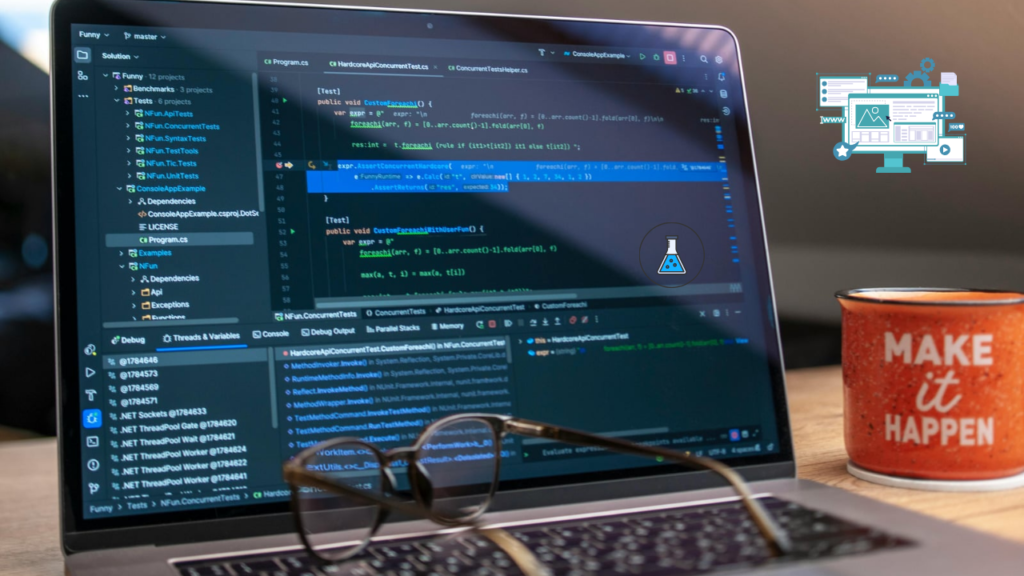
After spending hundreds of hours testing these tools across production-like projects (a 50+ file FastAPI SaaS, a data pipeline with 200k+ rows, and a Django e-commerce refactor), I’ve ranked the best AI tools for Python developers based on real performance not marketing claims.
These aren’t just autocomplete tools anymore. They’re becoming collaborative agents that understand your codebase, suggest architectural improvements, and sometimes even fix their own mistakes.
How We Evaluated These AI Tools
We tested each tool on the same set of real-world tasks:
- FastAPI endpoint + dependency injection generation
- Django ORM models and admin customizations
- Multi-file refactoring (e.g., adding auth across 40+ routes)
- Pandas data transformation pipelines
- PyTorch model debugging and optimization
- pytest generation and coverage
- Hallucination rate, context handling, latency, and final code quality
- Async/await patterns and type hint accuracy
Metrics included acceptance rate, time saved, error introduction, and developer friction.
Best AI Tools for Python Developers in 2026
- Cursor
Best Overall for Most Python Developers In my testing with a complex FastAPI microservices project, Cursor consistently outperformed others on multi-file tasks. Its Composer mode and agent capabilities make it feel like having a senior pair programmer who actually understands your entire repo.
Key Strengths for Python:
- Exceptional multi-file refactors (e.g., “Migrate all routes to use dependency injection” worked flawlessly)
- Strong understanding of FastAPI, Pydantic v2, SQLAlchemy 2.0, and async patterns
- Custom rules engine for enforcing project-specific styles
Drawbacks: Higher price ($20/mo Pro) and you may need to switch from plain VS Code.
Best for: Solo developers and teams working on medium-to-large Python codebases.
- GitHub Copilot
Best Inline Assistant & Value Copilot remains the king of fast, reliable inline suggestions. It’s still the most seamless for day-to-day Python work.
Real-World Example:
Python
@app.post(“/users/”, response_model=UserResponse)
async def create_user(user_in: UserCreate, db: Session = Depends(get_db)):
# Copilot often suggests full service layer + validation + error handling here
It handles common patterns extremely well but sometimes lacks deeper architectural reasoning compared to Claude or Cursor.
Best for: Developers who want set-it-and-forget-it productivity without changing their editor.
- Claude Code (Anthropic)
Best for Deep Reasoning & Complex Tasks Claude leads on benchmarks and real-world complex reasoning in 2026. It shines when you need to explain tradeoffs or refactor legacy code.
Example Insight: When debugging a tricky PyTorch training loop with memory issues, Claude provided clearer step-by-step root cause analysis and optimization suggestions than any other tool.
Best for: Architectural decisions, legacy modernization, and thorough test generation.
- Tabnine
Best for Privacy & Enterprise Teams If you work in regulated industries or need full control over your code context, Tabnine wins. Its local models and team learning features are unmatched.
Best for: Fintech, healthcare, and large enterprises.
- Windsurf (Codeium)
Best Free / High-Value Option Excellent free tier with strong agent features. It punches above its weight for FastAPI and data science workflows.
- Amazon Q Developer
Best for AWS Python Stacks Deep Boto3, Lambda, and CDK understanding. If your infrastructure lives in AWS, this tool saves serious time.
- Gemini Code Assist
Best for Google Cloud & Data Science Strong integration with BigQuery, Vertex AI, and data-heavy Python workflows.
Tool Comparison by Python Workflow
| Workflow | Best Tool | Why It Wins | Runner-Up |
| FastAPI / Backend | Cursor | Multi-file + dependency handling | Copilot |
| Data Science / Pandas | Gemini / Cursor | Strong data context awareness | Claude |
| Django / Monoliths | Claude Code | Deep reasoning for legacy code | Cursor |
| AWS Cloud Automation | Amazon Q | Native Boto3 & service integration | Copilot |
| Enterprise / Privacy | Tabnine | Local models + compliance | – |
| Daily Inline Coding | GitHub Copilot | Speed & seamless integration | Windsurf |
| Complex Refactoring | Cursor / Claude | Agentic multi-file editing | – |
Limitations of AI Coding Tools (Honest Tradeoffs)
No tool is perfect. Here’s what I encountered during testing:
- Hallucinations — Outdated package versions or non-existent methods (especially with fast-moving libraries like Pydantic or LangChain).
- Over-engineering — AI loves to add unnecessary abstractions.
- Weak on novel problems — If your use case is truly unique, human creativity still wins.
- Async & concurrency — Still error-prone in complex scenarios.
- Security risks — Always review for hardcoded secrets or vulnerable patterns.
- Context limits — Large monorepos can overwhelm even the best tools.
Rule of thumb: Treat AI as a very fast junior developer — great at boilerplate, but you must review and guide.
How to Choose the Right AI Tool for Your Python Workflow
- Solo / Indie / Startups → Start with Cursor or Copilot + Windsurf free tier.
- Enterprise / Regulated → Tabnine.
- Heavy AWS → Amazon Q.
- Data Science heavy → Gemini + Cursor.
- Power user → Combine Cursor (editing) + Claude Code (reasoning).
Many top developers in 2026 use two tools simultaneously: one for speed (Copilot) and one for depth (Claude/Cursor).
Future of AI Tools for Python Developers
By late 2026 and into 2027, we’ll see more autonomous agents that can own entire features end-to-end, better local/offline models, and deeper integration with testing and CI/CD. Python’s dominance in AI means these tools will keep evolving faster here than in any other language.
The developers who thrive won’t be the fastest typists they’ll be the best at orchestrating AI, critically reviewing output, and focusing on high-level design.

FAQs About AI Tools for Python Developers
What is the best AI tool for Python developers in 2026? Cursor edges out for most use cases, followed closely by GitHub Copilot for simplicity.
Is GitHub Copilot still worth it? Yes — especially at $10/month. It delivers the best speed-to-value ratio for daily Python work.
Which AI coding assistant is best for Django or FastAPI? Cursor for new development and refactoring; Claude Code for complex logic and architecture.
Can AI tools write production-ready Python code? They can generate strong drafts, but human review remains essential for security, performance, and business logic.
Are AI coding tools safe for enterprise Python apps? With proper governance (Tabnine, enterprise Copilot, or self-hosted options), yes. Always use code scanning tools alongside them.
Conclusion
AI tools have fundamentally changed Python development. In 2026, the gap between a good developer and a great one is increasingly defined by how effectively they collaborate with AI.
The best Python developers aren’t fighting the tools they’re directing them like a conductor leads an orchestra. They focus on system design, user problems, and innovation while letting AI handle the repetitive heavy lifting.
Start experimenting today. Pick one or two tools from this list, integrate them into your workflow, and measure the difference in your own projects. The productivity gains are real but only if you stay in control.
Which AI tool are you primarily using in 2026? Drop your experience (and setup) in the comments. I read every one.
Best Ai Keyword Research Tools in 2026

Founder of Aivexify
Himanshu Deora is an AI tools researcher and digital publisher who tests AI software, automation tools, and emerging technology trends and AI content creator passionate about sharing helpful guides, AI tools, software tutorials, and the latest digital trends. Through Aivexify, he helps readers discover smart technology, productivity tools, and practical online resources in a simple and easy-to-understand way.