
Voice chat in games has gone crazy. One minute you’re in a Valorant lobby trying to call plays, the next someone’s trolling the whole team with a cartoon voice or dropping perfect Darth Vader lines in proximity chat. Whether you’re messing with friends in Discord, deep into GTA RP servers, streaming on Twitch, or building a VTuber persona, a good AI voice changer can completely change the vibe.
I’ve spent a lot of time testing AI Voice Changers for Gaming and creator tools across Discord, streaming, and multiplayer games over the past few years bunch of these tools in real situations not just clicking buttons in a clean setup. Some feel seamless and fun. Others have latency that kills the moment or voices that sound straight-up robotic. Here’s my honest breakdown of what actually works in 2026 for gamers and creators.
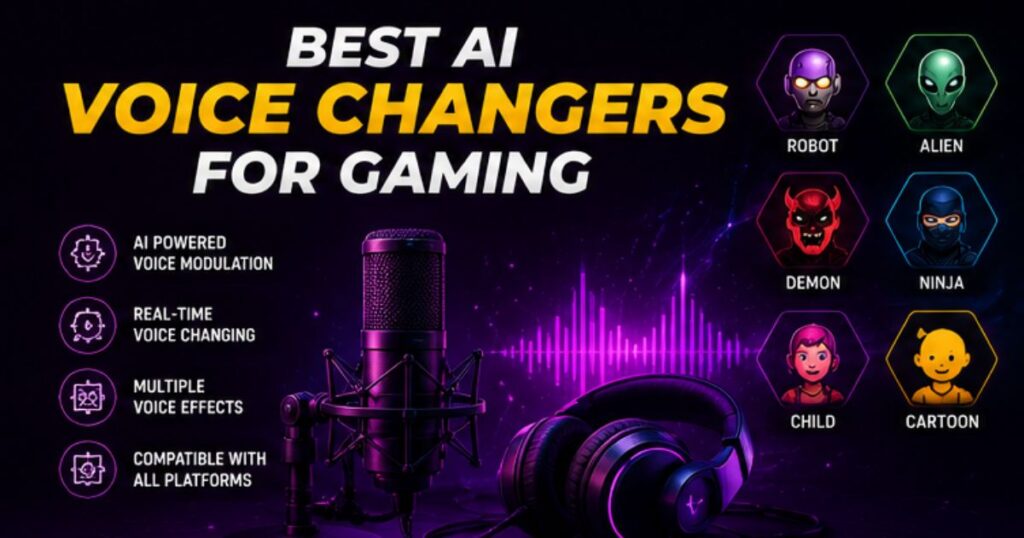
Quick Comparison Table
| Tool | Best For | Real-Time? | Free Plan | Latency | Gaming Fit | Key Strength |
| Voicemod | Real-time trolling & streaming | Yes | Good (limited voices) | Very Low | Excellent | Huge soundboard + easy Discord |
| ElevenLabs | High-quality voices & content | Partial | Limited credits | Low (not perfect live) | Very High | Most realistic & emotional |
| Voice.ai | Live Discord & immersive RP | Yes | Available | Low | High | Neural AI quality |
| Clownfish | Simple & free system-wide | Yes | Fully Free | Low | Good | Zero cost, works everywhere |
| HitPaw Voice Changer | Beginner-friendly effects | Yes | Trial | Low | Good | Easy interface + noise reduction |
| MorphVOX | Custom effects & older games | Yes | Basic | Medium | Medium-High | Deep customization |
Top AI Voice Changers for Gaming – My Real Experiences
Voicemod
This one is still the king for most gamers I know. Real-time switching with almost no noticeable delay makes it perfect for competitive and casual play.
What I liked: Super easy Discord integration, hotkeys for sound effects, and a ton of meme voices that never get old. The community adds fresh packs regularly.
Downsides: Some premium voices lock behind the paywall, and a few effects still sound a bit cartoonish if you’re going for realism.
Good for: Valorant trash talk, Fortnite proximity chaos, GTA RP characters, and Twitch streams. The first time I dropped a deep villain voice in a ranked lobby, my teammates actually got quiet for a second—it was hilarious.
ElevenLabs
Best for quality over speed. It’s not the most lightweight for pure real-time, but the voice cloning and emotional range blow everything else away.
What I liked: You can clone your own voice or create anime-style, celebrity-like, or super immersive characters. Great for edited content and pre-recorded bits.
Downsides: Better for post-production or lighter live use. Heavy real-time can feel less instant than dedicated tools.
Good for: VTubers, YouTube Shorts narration, roleplay servers where immersion matters, and streamers who want premium sound.
Voice.ai
Solid neural AI option built for live interactions. Low latency and good for turning your voice into something completely different on the fly.
What I liked: Handles Discord and in-game chat well. The AI feels smarter with context compared to older tools.
Good for: Anonymous gaming, trolling sessions, and building fun personas without sounding fake.
Clownfish Voice Changer
The ultimate free option. It works system-wide, so it hits Discord, games, Zoom, whatever.
What I liked: Install once and forget. No fuss for basic effects.
Downsides: Not as many high-quality AI voices as the newer tools. Can feel limited if you want realism.
Good for: Beginners, budget gamers, and casual Discord nights.
HitPaw Voice Changer
User-friendly with decent AI voices and built-in noise reduction (handy for loud mechanical keyboards).
Good for: Streamers who want quick setup and cleaner audio.
MorphVOX
Older but still useful for heavy customization. Better if you like tweaking every detail.
Best Use Cases for AI Voice Changers in Gaming
- Discord Trolling & Fun: Voicemod shines here. Switch to a chipmunk voice mid-argument or drop sound effects at the perfect moment.
- GTA RP & Roleplay Servers: ElevenLabs or Voice.ai for deeper, more believable characters. Match your voice to your in-game persona.
- Valorant / FPS Proximity Chat: Real-time tools like Voicemod for quick laughs or intimidation. Just don’t be toxic—games have rules.
- Twitch Streaming: Combine voice changer with a good soundboard. Viewers love the entertainment value.
- VTubing & Content Creation: ElevenLabs for high-quality anime or character voices in videos and live streams.
- Anonymous Gaming: Protect your real voice, especially if you’re a female gamer or just want privacy in public lobbies.
Free vs Paid AI Voice Changers
Free tiers (Clownfish, Voicemod basic, limited ElevenLabs) are genuinely usable for casual play. You can have plenty of fun without spending a dime.
Paid versions unlock better voices, unlimited use, and lower latency. For serious streamers or RP enthusiasts, the upgrade is usually worth it time saved dealing with limitations pays off in better content and fewer headaches. Start free, then upgrade the one that matches your main use case.
Are AI Voice Changers Safe? Privacy & Risks
This is important. Most reputable tools like Voicemod and ElevenLabs have decent privacy policies, but always check.
Risks to watch:
- Some free/ sketchy apps might contain malware or log your voice data.
- Voice cloning raises deepfake concerns—don’t use it for anything deceptive.
- Game platforms (Valorant, etc.) can ban for disruptive behavior, even if the tool itself is allowed.
- Privacy: Changing your voice helps protect your real identity, especially in open lobbies.
Stick to well-known tools, read reviews, and avoid shady downloads. Use them for fun and creativity, not to harass people.
Pros and Cons of Using AI Voice Changers for Gaming
Pros:
- Makes gaming way more entertaining and immersive.
- Great for content creators and streamers to stand out.
- Helps with privacy and confidence for some players.
- Endless creativity with voices and sound effects.
Cons:
- Can sound unnatural if overused or with bad settings.
- Latency issues ruin timing in competitive games.
- Risk of account issues if misused.
- Learning good settings takes a little trial and error.
Mistakes to Avoid
Don’t blast annoying voices non-stop it gets old fast for everyone else. Always test latency before jumping into ranked matches. Review your stream recordings because what sounds cool in your headphones might not translate well. And respect other players trolling is fun until it becomes griefing.
FAQs About AI Voice Changers for Gaming
Are AI voice changers allowed in games? Usually yes for fun, but check specific game rules. Disruptive use can still get you reported or banned.
Which AI voice changer works best with Discord? Voicemod and Voice.ai integrate super smoothly.
Can AI voice changers sound realistic? Yes—ElevenLabs especially. With good setup, many people can’t tell.
Do streamers actually use them? Absolutely. A lot of big creators use them for entertainment, character work, or variety.
Is Voicemod better than MorphVOX? For most modern gamers, yes—better interface, more voices, and stronger community support.
Final Verdict
In 2026, Voicemod is still the best all-rounder for most gamers who want real-time fun in Discord and games. Go with ElevenLabs if quality and realism are your top priority, especially for content or VTubing. Start with the free versions, test in casual matches, and see what clicks with your style.
These tools won’t magically make you better at the game, but they sure make hanging out in voice chat a lot more memorable. The key is using them to enhance the fun instead of becoming the annoying guy.
What’s your main reason for wanting a voice changer trolling, RP, streaming, or privacy? Drop a comment and I’ll give you my personal recommendation.
10 Best Ai Game Design Software Tools in 2026

Founder of Aivexify
Himanshu Deora is an AI tools researcher and digital publisher who tests AI software, automation tools, and emerging technology trends and AI content creator passionate about sharing helpful guides, AI tools, software tutorials, and the latest digital trends. Through Aivexify, he helps readers discover smart technology, productivity tools, and practical online resources in a simple and easy-to-understand way.