

Building large game environments traditionally requires hundreds of hours of terrain sculpting, asset placement, and world design. AI world generation tools now automate much of that work — producing environments in hours that once took weeks, and making environmental richness accessible to solo developers and small studios for the first time.
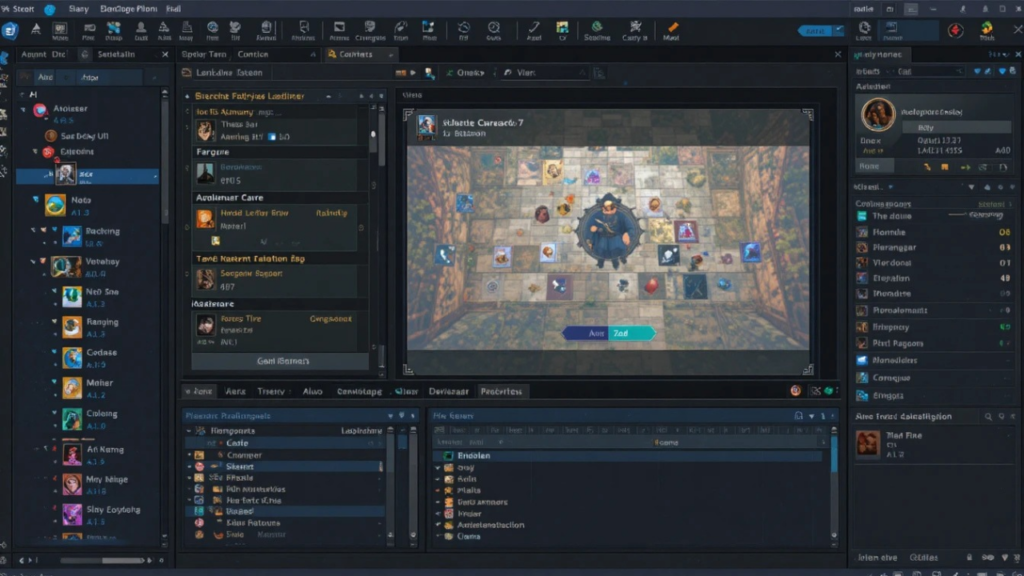
This guide covers the seven best AI world building tools available in 2026, based on hands-on evaluation across ease of use, AI output quality, engine compatibility, pricing, and the real-world results developers are reporting. We also include a full comparison table, honest pros and cons for every tool, and a buyer’s guide to match you with the right option.
What you’ll find in this guide:
- Quick-reference comparison table of all 7 tools
- Individual reviews with pros, cons, and best-fit use cases
- How these tools differ from traditional procedural generation
- FAQ answers optimized for direct search questions
How We Evaluated These Tools
Each tool was assessed across five dimensions:
AI Output Quality — How coherent, usable, and visually consistent are the generated environments and assets right out of the box?
Ease of Use — How quickly can a developer with no prior experience with the tool produce something usable?
Engine Integration — Does it export cleanly to Unity, Unreal Engine 5, or Godot without significant rework?
Pricing vs. Output Value — Is the cost justified by what the tool actually produces at each tier?
Real Developer Feedback — What are developers on forums, Discord communities, and GitHub discussions actually reporting about production use?
Tools like Houdini and NVIDIA Omniverse, while technically AI-adjacent, were excluded from this list because they primarily serve VFX pipelines and simulation environments — not what most developers mean when they search for AI world generation tools. The seven tools below directly address that intent.
The 7 Best AI World Generation Tools for Game Developers in 2026
1. Scenario.gg — Best Overall for Indie AI World Creation
Best for: Indie and small-team developers with a defined visual identity
Scenario.gg has established itself as the most practically useful AI world creation platform for independent game developers. Its core differentiator is custom model training — you upload your own art assets, train a fine-tuned model on your visual style, and generate new environments, props, and backgrounds that stay consistent with your game rather than looking like generic AI output.
In practice, this matters enormously. A common failure mode of AI-generated game art is that assets look internally inconsistent — the forest background doesn’t match the character sprites, the UI elements don’t match the world aesthetic. Scenario’s training system directly solves this problem.
The generation pipeline is fast, the prompt interface is clean, and the API access at higher tiers means you can integrate generation directly into your development pipeline rather than treating it as a separate step.
What developers are reporting: Studios building stylized 2D games report using Scenario to generate entire tileset variations from a single trained model, cutting environment art production time by roughly half. The community model library also allows you to fine-tune on shared styles — useful if you’re working in a genre with established visual conventions.
Pros:
- Custom model training keeps output consistent with your art style
- Free tier is genuinely functional for solo exploration
- API integration suits automated pipeline use
- Active community with shared models and workflows
Cons:
- Quality drops significantly if you skip the model training step
- Not designed for 3D — primarily 2D and concept-level output
- Training a good model requires a decent-sized art library to start
Pricing: Free tier (limited generations); Pro from $39/month; Teams from $99/month.
Engine compatibility: Unity, Unreal Engine 5, and any engine via direct image/sprite export.
2. Meshy AI — Best for Text-to-3D World Mesh Generation
Best for: Developers who need 3D game-ready assets and environments quickly
Meshy AI is one of the most capable text-to-3D tools currently in production use for game development. You describe an environment or object in text, optionally provide a reference image, and Meshy generates a textured 3D mesh ready for export to your game engine.
The quality of output has improved significantly through 2025 and into 2026. Early text-to-3D tools produced blurry, topologically messy meshes that required extensive cleanup. Meshy’s current models produce clean, game-appropriate geometry with reasonable polygon counts and UV-unwrapped textures — which means assets can go from generation to engine in minutes rather than requiring hours of manual cleanup.
For AI world building specifically, Meshy works well for generating individual world components — rocks, ruins, structures, props — that are then assembled into environments. Some developers are using it to rapidly prototype entire scene layouts by generating rough 3D primitives, assessing spatial composition, then refining with higher-quality assets.
What developers are reporting: Indie developers building 3D games with small or no art teams consistently cite Meshy as a production multiplier. One common workflow: generate asset variations in Meshy, retopo and refine the best outputs in Blender, import final meshes into Unreal.
Pros:
- Genuinely game-ready 3D output with reasonable polygon counts
- Image-to-3D feature useful for converting concept art to 3D
- Fast turnaround — 3D assets in under two minutes for most prompts
- Free tier allows meaningful experimentation
Cons:
- Complex organic shapes (characters, detailed creatures) still need refinement
- Texture quality varies — stylized assets tend to outperform photorealistic attempts
- Limited control over polycount targeting for specific LOD needs
Pricing: Free tier (limited monthly credits); Pro from $20/month.
Engine compatibility: Unity, Unreal Engine 5, Blender, and any engine supporting FBX/GLB/OBJ.
3. Leonardo AI — Best for Environment Concept Art and Texture Generation
Best for: Artists and developers who need high-quality 2D environment visuals and textures
Leonardo AI occupies a specific and valuable role in game world creation pipelines: it generates the visual reference and texture material that makes environments feel alive. Where Meshy handles geometry, Leonardo handles surface — producing environment concept art, tileable textures, skyboxes, background plates, and atmospheric art with a level of visual quality that feeds directly into production workflows.
Its “Image Guidance” and canvas features allow you to generate variations on a reference scene — useful when you’ve established a visual direction and need to populate a world with consistent environmental variations. The consistency controls, refined over several model updates in 2025, mean successive generations in the same style actually look like they belong together.
Leonardo also supports LoRA fine-tuning on paid tiers, which means the same style-locking capability Scenario offers for structured assets is available here for painterly and photorealistic environment art.
What developers are reporting: Environment artists working in mid-sized studios use Leonardo to generate concept batch iterations — producing 20 variations of a cliff face or interior ruin in the time it would take to hand-paint two. Art directors then select the strongest directions and pass them to asset artists for 3D construction.
Pros:
- Output quality is among the highest of any generative tool for environmental art
- Consistency controls mean sequential generations stay visually coherent
- Versatile — handles concept art, textures, skyboxes, and background plates
- Free tier is relatively generous
Cons:
- Output is 2D — requires additional pipeline steps to become 3D game assets
- Style consistency requires deliberate prompt discipline to maintain
- Some style filters produce results that look similar across many users
Pricing: Free tier (150 tokens/day); Apprentice from $12/month; Artisan from $30/month.
Engine compatibility: Any engine via image export; textures work in Unity, UE5, Godot.
4. World Creator — Best AI Landscape Generator for 3D Terrain
Best for: Open-world games, survival titles, and any project centered on vast outdoor terrain
World Creator remains the most focused and capable dedicated AI landscape generator for game development. Its GPU-accelerated terrain engine generates real-time 3D terrain with AI-assisted erosion, river carving, sediment simulation, and automated texture distribution — producing landscapes that look geologically plausible rather than procedurally arbitrary.
The workflow is non-destructive and filter-based: you layer AI processes on top of each other, each one refining the terrain further. The erosion simulation in particular has been updated significantly in late 2025, with improved water flow algorithms that produce more convincing valley and delta formations.
World Creator’s satellite data import feature is worth highlighting for developers working on realistic environments — you can import real-world elevation data and use AI tools to stylize, exaggerate, or adapt it for game use.
What developers are reporting: Developers building open-world RPGs, flight simulators, and military-sim titles consistently reference World Creator as the most reliable dedicated terrain tool. Export quality to UE5 via the World Creator Bridge plugin is strong, with height maps, splatmaps, and normal maps exporting in a single operation.
Pros:
- Best-in-class terrain quality for game development
- Non-destructive filter stack means full iteration control
- Strong UE5 and Unity Bridge plugins for clean import
- Perpetual license option avoids ongoing subscription costs
Cons:
- Primarily terrain — doesn’t handle assets, props, or narrative world structure
- GPU-accelerated, so performance depends heavily on hardware
- Steeper learning curve than simpler generation tools
Pricing: Perpetual license from $149; subscription from $19/month.
Engine compatibility: Unity, Unreal Engine 5, Cinema 4D, Terragen, and more via height map / splatmap export.
5. Promethean AI — Best for AI-Assisted Level Design
Best for: Mid-to-large studios using UE5 or Unity with established asset libraries
Promethean AI is different from every other tool on this list: rather than generating new assets, it intelligently places and populates environments using your existing asset library. It observes how your level designers work — which objects they place in which contexts, what spatial relationships they establish — and starts predicting and suggesting the right placements automatically.
The practical effect is that environment artists spend less time on repetitive placement work and more time on spatial storytelling. Promethean handles the fill; humans handle the direction.
The AI’s contextual awareness is the core differentiator. It understands that a forest floor should have undergrowth density appropriate to canopy coverage, that a warehouse should have debris density consistent with its apparent state of use, that an exterior wall should have weathering that varies with sun exposure. These are rules that would take substantial time to encode manually — Promethean learns them from the patterns in your own work.
What developers are reporting: Promethean has found its strongest audience at studios with large asset libraries and dedicated environment art teams. Solo developers and small indie teams tend to find less value, since the tool is most powerful when there’s an extensive library for it to draw from and a volume of repetitive placement work to automate.
Pros:
- Dramatically accelerates environment population workflows
- Learns studio-specific design language over time
- Contextual placement is notably more coherent than rule-based alternatives
- Strong UE5 and Unity integration
Cons:
- Not designed for generating new assets — requires an existing library
- Pricing is custom/enterprise, making it inaccessible for indie developers
- Requires a meaningful volume of existing work for the AI to learn from
Pricing: Custom pricing (contact for studio rates); not available on self-serve indie tiers.
Engine compatibility: Unreal Engine 5 (primary), Unity.
6. Sloyd — Best for Rapid Parametric 3D Asset Creation
Best for: Developers who need fast, clean, game-ready 3D props and structural assets
Sloyd takes a different approach to AI world building than most tools on this list: rather than freeform generation from text prompts, it uses parametric AI modeling — you select an asset category (crate, barrel, house, tree, rock formation), adjust parameters (size, wear level, style, architectural period), and Sloyd generates a clean, low-poly, game-ready 3D model optimized for the parameters you set.
This approach produces more predictable and consistently game-ready output than freeform text-to-3D. You won’t get creative surprises, but you will get assets that reliably meet your technical specs.
For world building specifically, Sloyd excels at producing the structural vocabulary of an environment — the buildings, walls, props, and decorative elements that populate a world and give it its lived-in character. Combined with World Creator for terrain and Scenario or Leonardo for surface art, Sloyd fits naturally into a multi-tool AI world creation pipeline.
What developers are reporting: Small teams building 3D games with limited art resources cite Sloyd as a significant time-saver for structural asset production. The consistent quality and predictable topology make Sloyd’s output particularly easy to work with in Blender for further customization.
Pros:
- Predictable, game-ready output with clean topology
- Low poly counts appropriate for real-time rendering
- Web-based — no software installation required
- Fast: most assets generate in under 30 seconds
Cons:
- Less creative flexibility than freeform text-to-3D tools
- Asset library categories are somewhat limited for highly specific needs
- Stylistic range is narrower than tools like Meshy
Pricing: Free tier available; Creator from $16/month.
Engine compatibility: Unity, Unreal Engine 5, Blender via FBX/OBJ/GLB export.
7. Layer AI — Best for Style-Consistent World Art at Scale
Best for: Teams that need large volumes of visually consistent world art
Layer AI is purpose-built for game teams that need to generate large quantities of visually consistent art assets — environments, backgrounds, items, UI elements — that all look like they came from the same game. Its “style locking” system lets you define a visual reference set, and subsequent generations stay within that locked aesthetic.
Where tools like Leonardo produce high individual-image quality, Layer prioritizes consistency across many generations. For world building, this means you can generate dozens of environment variations — different regions, biomes, or interior spaces — that all stay coherent within your game’s visual world.
Layer also includes a structured workflow specifically designed for game production pipelines, including team collaboration features, asset tagging, and export organization — which reduces the organizational overhead of managing large volumes of AI-generated assets.
What developers are reporting: Mobile and mid-core PC game studios use Layer to generate environment art at a scale that would be prohibitive to produce manually. Teams report using it to generate full background sets for story-driven games, where environmental variety is important but each scene still needs to feel like it belongs to the same world.
Pros:
- Style consistency across large asset batches is notably strong
- Production pipeline features (tagging, collaboration, organized export)
- Works well for both 2D environments and environment concept generation
- Reasonable pricing for the scale of output it enables
Cons:
- Less useful for single-asset or small-batch needs than other tools
- Style locking requires a solid reference set to work well
- 2D output only — no 3D generation capability
Pricing: Free tier available; Pro from $39/month; Team plans available.
Engine compatibility: Any engine via image and sprite export.
How to Choose the Right AI World Building Tool
The right choice depends on four factors more than any others:
2D vs. 3D. If you’re building a 2D game or primarily need environment art and concept generation, Scenario, Leonardo, and Layer are your strongest options. For 3D world building, Meshy, Sloyd, and World Creator are the core tools.
Generalist pipeline vs. specialist tool. World Creator does one thing — terrain — with exceptional quality. Scenario does many things — environments, props, concepts — with adaptable quality. A specialist tool almost always outperforms a generalist tool in its specific domain, but a generalist reduces the number of subscriptions you’re managing.
Asset generation vs. asset placement. Most tools on this list generate new assets. Promethean AI is the only tool focused on intelligent placement of existing assets. If your bottleneck is “we have the assets but placing them takes too long,” Promethean addresses that. If your bottleneck is “we don’t have enough assets,” everything else on this list is more relevant.
Budget. You can build a capable indie AI world creation pipeline for under $75/month using the free tiers of Meshy + Leonardo + Sloyd, supplemented by a Scenario Pro subscription for custom style training. Enterprise tools like Promethean AI are a different conversation.
AI World Generation vs. Traditional Procedural Generation
This question comes up often enough to deserve a direct answer.
Traditional procedural generation — the kind used in Minecraft, Spelunky, or No Man’s Sky — uses hand-coded rules and mathematical functions to generate content. It’s fast, deterministic, and infinitely scalable, but it produces content according to rules its creators explicitly wrote. The quality ceiling is whatever the programmers built into the system.
AI world generation uses machine learning models trained on large datasets of real-world environments, architectural references, terrain data, and artistic styles. The difference in practice: an AI system can understand that “ruins” implies specific visual characteristics — weathering patterns, collapsed geometry, overgrowth, debris distribution — without being explicitly programmed with those rules. It learned them from training data.
The tradeoff is control. Procedural generation is predictable within its ruleset. AI generation is more expressive but less deterministic. Most serious world-building pipelines in 2026 use both: AI for high-quality environmental art and asset generation, procedural systems for infinite variation and runtime world expansion.
Other AI World Generation Tools Worth Considering
The seven tools above cover the strongest options currently in production use, but depending on your specific needs, these alternatives are worth knowing about:
Inworld AI — Primarily focused on AI-driven NPC behavior and narrative world logic rather than visual generation, but increasingly relevant for developers who want AI to shape how a world functions rather than just how it looks.
Blockade Labs (Skybox AI) — Specializes in 360-degree AI environment generation for skyboxes and immersive backgrounds. Particularly useful for VR development.
RunwayML — Video and image generation capabilities that some developers use for environment concept work and atmospheric reference generation.
Midjourney — Not purpose-built for game development, but still widely used by art directors for environment concept generation due to its high aesthetic quality.
Frequently Asked Questions
What is the best AI world generation tool for beginners?
Scenario.gg is the most accessible starting point for most indie developers — the interface is intuitive, the free tier is functional, and the results look good without requiring deep technical knowledge. Meshy AI is the best beginner pick for 3D specifically: you describe an asset, it generates a clean 3D mesh, and you can export it to your engine in minutes with no prior 3D modeling experience needed.
Can AI world building tools generate an entire game world automatically?
Not entirely — at least not to production quality. Current AI world generation tools are best understood as high-speed production assistants rather than autonomous world creators. They dramatically accelerate specific parts of the workflow: terrain generation, asset creation, environment art, texture production. The spatial logic, narrative design, pacing, and player experience design that make a world feel coherent still require human creative direction. The most effective workflows use AI to handle volume and variation while humans handle structure and meaning.
Do AI world generation tools work with Unreal Engine 5?
Yes. Scenario, Meshy, World Creator (via Bridge plugin), Sloyd, and Promethean AI all have direct UE5 support or standard export formats (FBX, GLB, USD, height maps) that import cleanly into UE5. World Creator’s Bridge plugin in particular provides a seamless terrain import workflow that transfers height maps, splatmaps, and normal maps in a single operation.
Is AI procedural world generation different from traditional procedural generation?
Traditional procedural generation uses hand-coded mathematical rules to generate content — fast, deterministic, but bounded by what developers explicitly programmed. AI procedural world generation uses machine learning trained on real-world and artistic data, allowing for richer contextual understanding. The result is environments that exhibit learned characteristics — like ruins that look authentically weathered or forests with ecologically plausible understory density — without requiring explicit rules for every detail. Most production pipelines in 2026 use both approaches in combination.
How much does it cost to use AI world creation tools professionally?
For indie developers, a capable pipeline is achievable for $50–$100/month using tools like Scenario Pro ($39/mo), Meshy Pro ($20/mo), and the free tiers of Leonardo and Sloyd. World Creator’s perpetual license ($149 one-time) is worth considering if terrain generation is central to your project. Studio-level tools like Promethean AI operate on custom pricing that scales with team size.
Conclusion
AI world generation in 2026 is no longer experimental — it’s a production tool category with clear leaders, defined use cases, and proven workflows. The seven tools reviewed here cover the range from indie-accessible to studio-scale, from 2D environment art to 3D terrain and mesh generation.
The clearest path forward: identify your single biggest world-building bottleneck — whether that’s terrain quality, asset volume, style consistency, or level population — and start with the tool that directly addresses it. Most of these platforms offer free trials or free tiers substantial enough for genuine evaluation.
Build the world you’ve been planning. The tooling has finally caught up to the ambition.
How to Automate Email with AI

Founder of Aivexify
Himanshu Deora is an AI tools researcher and digital publisher who tests AI software, automation tools, and emerging technology trends and AI content creator passionate about sharing helpful guides, AI tools, software tutorials, and the latest digital trends. Through Aivexify, he helps readers discover smart technology, productivity tools, and practical online resources in a simple and easy-to-understand way.