

Writing code is rarely the hardest part anymore. The real time sink is debugging weird errors at 2 AM, searching Stack Overflow for the tenth time this week, churning out boilerplate, wrestling with legacy code nobody understands, or staring at a regex that should be simple but isn’t. That’s exactly where Best AI Coding Assistants have become gamechangers for me and thousands of other days.
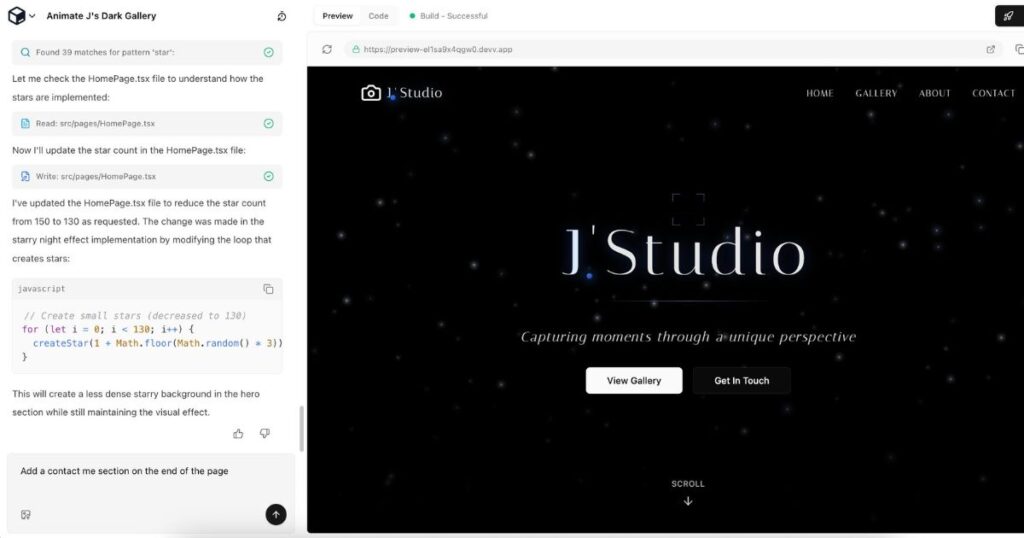
I’ve spent a lot of time testing these tools across coding workflows, tutorials, and development projects over the past year, across React, Python, full-stack projects, and some messy enterprise code. They don’t replace thinking, but they cut the drudgery and help you ship faster if you use them right.
Here’s my practical, no-BS breakdown of the best AI coding assistants in 2026, based on real use, not marketing fluff.
Quick Comparison Table of Best AI Coding Assistants
| Tool | Best For | IDE Support | Best Feature | Pricing (approx.) | Score (my 1-10) |
| GitHub Copilot | General coding, enterprise | VS Code, JetBrains, Neovim | Fast, polished autocomplete | $10–19/mo | 9.0 |
| Cursor | AI-first workflows, large codebases | Cursor IDE (VS Code fork) | Deep codebase awareness + Agent mode | $20/mo Pro | 9.2 |
| Claude (Code) | Explaining/refactoring complex code | Web/API, Terminal, IDEs | Massive context window + reasoning | Claude Pro ~$20/mo | 8.8 |
| ChatGPT | Quick help, learning, prototyping | Web, plugins, VS Code | Versatile chat + code gen | Plus $20/mo | 8.0 |
| Codeium | Free/powerful autocomplete | 40+ IDEs | Generous free tier + solid context | Free–$12/mo | 8.5 |
| Tabnine | Privacy-focused teams | Most IDEs | Custom models + local options | $12–39/mo | 8.0 |
| Amazon Q Developer | AWS-heavy projects | VS Code, JetBrains | AWS integration + agents | $19/mo | 7.8 |
Cursor: The AI-Native IDE That Feels Like Magic (Sometimes)
Best for: Full AI-assisted coding workflows, refactoring, large messy codebases, React/Python/full-stack devs.
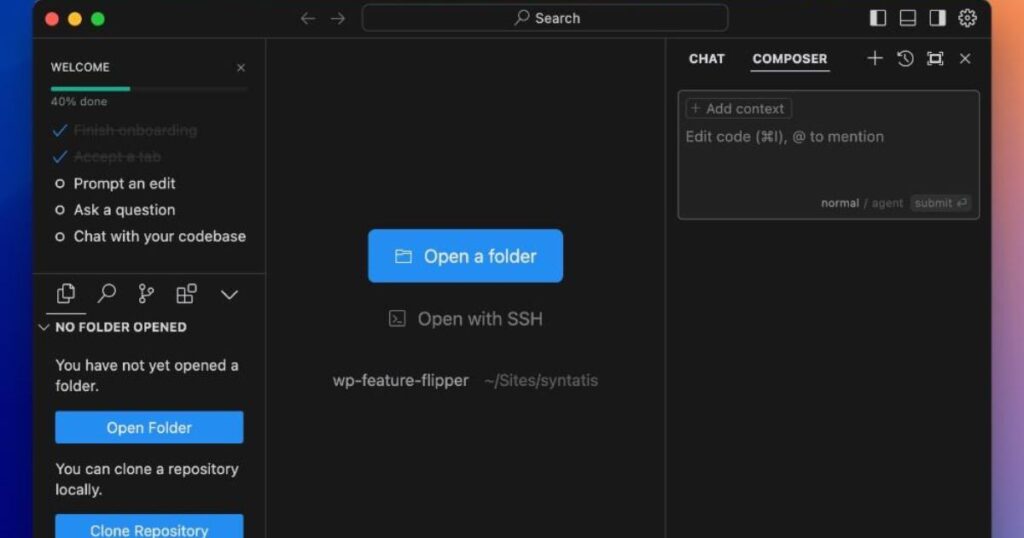
Cursor is basically VS Code but built from the ground up around AI. You highlight code and say “refactor this for better performance” or “add error handling everywhere,” and it actually gets the context of your whole project.
What I liked:
- Insane codebase awareness it indexes your repo and understands relationships across files.
- Agent mode: Describe a feature and watch it edit multiple files, run tests, and iterate.
- Super fast multi-file edits and diffs.
- Feels like pair programming with a very fast (if occasionally overconfident) junior dev.
Downsides:
- Can over-edit or make unnecessary changes if you’re not specific.
- Learning curve for advanced agent features.
- Subscription credits can add up for heavy use.
Real problem it solves: That 3-year-old legacy module with spaghetti imports? I told Cursor to modernize it to use async/await and proper typing. It did 80% of the work perfectly. I just reviewed and fixed the edge cases.
GitHub Copilot: The Reliable Daily Driver
Best for: Everyday coding, teams already in GitHub/VS Code ecosystem, beginners to pros.
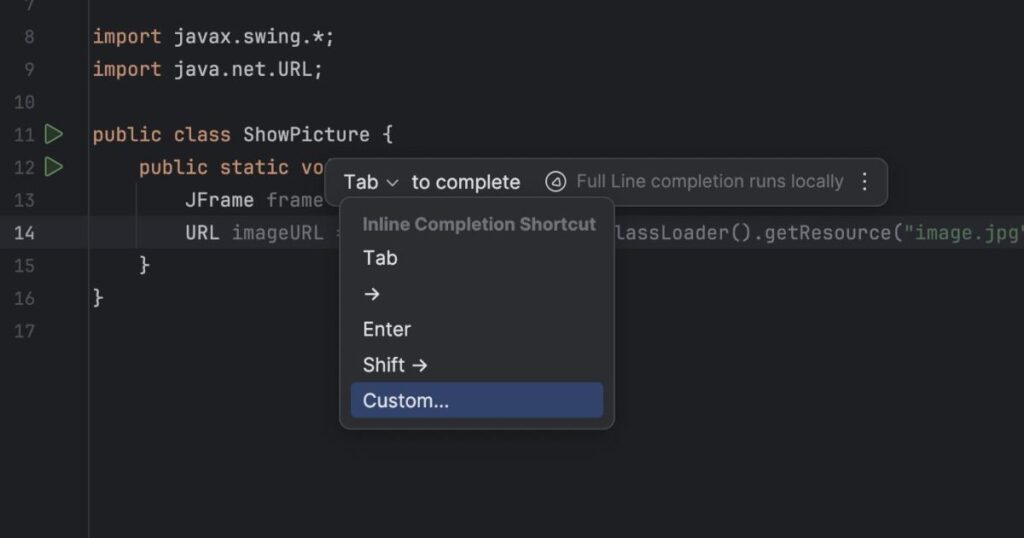
Copilot still wins for seamless inline suggestions. It feels natural—like autocomplete on steroids that actually understands what you’re trying to build.
What I liked:
- Blazing fast, low-latency completions.
- Excellent GitHub integration (PRs, issues, etc.).
- Copilot Chat for explanations and debugging.
- Enterprise features like IP indemnity and compliance.
Downsides:
- Less deep context than Cursor for massive repos.
- Occasional suggestions that look right but have subtle bugs.
Real problem it solves: Boilerplate hell. Writing API routes, tests, or database queries? Copilot suggests complete, context-aware chunks while you type.
Claude (Claude Code): The Thinking Architect
Best for: Explaining code, complex refactoring, architecture decisions, debugging tricky logic.
Claude shines when you need reasoning, not just code. Its massive context window lets you paste huge files or even entire folders.
What I liked:
- Best-in-class explanations: “Why is this regex failing on edge cases?”
- Strong at planning before coding.
- Terminal-native options for agentic workflows.
Downsides:
- Not as seamless for inline autocomplete as the others.
- You often copy-paste between Claude and your IDE.
Real problem it solves: API integration headaches. I fed Claude a confusing third-party docs + my codebase, and it gave me clean integration code with proper error handling and types.
ChatGPT: The Swiss Army Knife
Best for: Quick prototypes, learning, brainstorming, one-off scripts.
It’s everywhere and versatile. GPT-4o (or whatever the latest is) handles most coding tasks well, especially with good prompting.
Strengths: Great for beginners, visual explanations, generating full small apps.
Weaknesses: Weaker persistent codebase context compared to dedicated tools.
Codeium: The Best Free/Powerful Option
Strong autocomplete, chat, and multi-file edits with a very generous free tier. Excellent if budget is tight or you want broad IDE support.
Tabnine: Privacy and Customization King
Great for enterprises worried about code leaking. Supports local models and learns your team’s patterns.
Amazon Q Developer: AWS Ecosystem Powerhouse
If you live in AWS, its agents for features, docs, and reviews plus deep service integration make it worth it.
Best AI Coding Assistant for Specific Developers
- Beginners: GitHub Copilot or ChatGPT — gentle learning curve, great explanations.
- Python developers: Cursor or Claude — excellent for data science, Django/Flask, typing.
- Web developers (React/Next.js etc.): Cursor — handles component refactoring beautifully.
- VS Code users: Copilot (stays in your editor) or Cursor (if you’re ready to switch).
- Debugging: Claude — superior step-by-step reasoning.
- Enterprise teams: GitHub Copilot or Amazon Q/Tabnine — compliance, security, admin controls.
Where AI Coding Assistants Fail (The Honest Part)
No tool is perfect. Here’s where they bite you:
- Hallucinated code: Suggests non-existent APIs or outdated patterns.
- Package hallucination: Invents fake libraries → supply-chain risk if you npm install blindly.
- Security risks: Generates vulnerable code (missing sanitization, weak auth) because it was trained on public repos.
- Overengineering: Turns a simple function into a 5-layer abstraction.
- Bad refactors: Breaks working code subtly or ignores your project’s conventions.
- Outdated knowledge: Needs good prompting or grounding in current docs.
Rule of thumb: Always review AI code like it came from a smart but rushed intern. Run tests, security scans, and use your brain.
My Workflow (What Actually Works for Me)
I don’t use just one tool — that’s the key.
- Cursor for heavy lifting: new features, refactoring, agent mode on big changes.
- Copilot for fast autocomplete in VS Code (when I’m not in Cursor).
- Claude for deep explanations, architecture, or when I’m stuck debugging.
- ChatGPT/Codeium for quick questions or prototyping.
This combo has easily doubled my output on good days while reducing late-night frustration.
Screenshots / Visuals
- Cursor’s Composer/Agent mode editing multiple files with beautiful diffs.
- Copilot inline suggestions in VS Code looking eerily accurate.
- Claude chat explaining a complex function with examples.
- VS Code with multiple AI extensions running smoothly.
FAQs
Will AI replace programmers? No. It replaces boring parts and makes good programmers faster. You still need to architect, review, and own the product.
Is GitHub Copilot worth it? Yes for most people. The productivity gain pays for itself quickly.
Which is best for beginners? Start with GitHub Copilot or ChatGPT Plus. Learn by reviewing what it suggests.
Are these tools safe? Use with caution. Enable privacy settings, review code, and for sensitive projects consider self-hosted or privacy-focused options like Tabnine.
Which works best with VS Code? GitHub Copilot integrates most seamlessly, but Cursor is worth the switch for many.
Final Thoughts
The best AI coding assistant is the one that fits your workflow. Try a couple (most have free trials), be honest about their limits, and treat them as powerful assistants not replacements for judgment.
What’s your current setup? Drop a comment I’d love to hear what’s working (or frustrating you) in 2026.
Happy coding. May your bugs be shallow and your AI suggestions mostly correct.
Ai Tools for Gaming Youtubers

Founder of Aivexify
Himanshu Deora is an AI tools researcher and digital publisher who tests AI software, automation tools, and emerging technology trends and AI content creator passionate about sharing helpful guides, AI tools, software tutorials, and the latest digital trends. Through Aivexify, he helps readers discover smart technology, productivity tools, and practical online resources in a simple and easy-to-understand way.